






Another round of FunnelFox updates just shipped. Here’s a quick rundown of what’s new and what it unlocks.
Meet the Analytics upgrades
See which campaigns and channels drive paying subscribers, track refund and upsell impact on revenue, follow conversion across funnel steps, and more. The upgrade brings new metrics and breakdowns, all in a rebuilt design.
Overview tab
This is the default view of your Analytics page—a ready-to-use snapshot of your funnel performance. Headline KPIs sit at the top, each showing period-over-period change so you can spot direction at a glance:
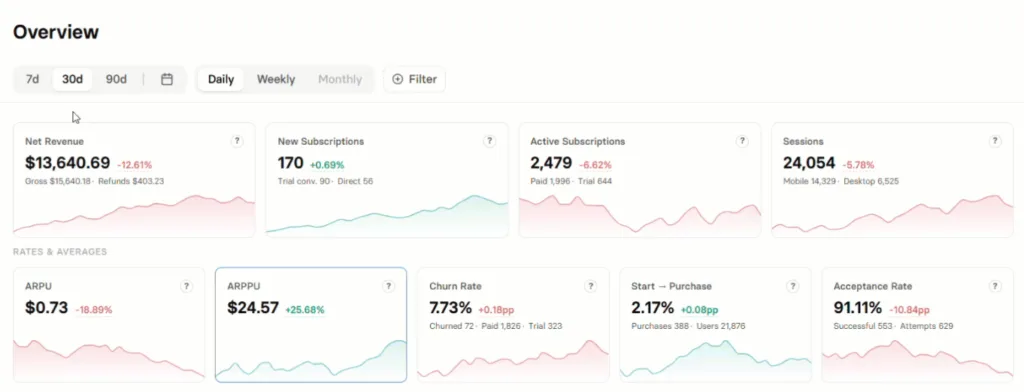
| Row | KPIs |
| Totals | Net Revenue, New Subscriptions, Active Subscriptions, Sessions |
| Rates & averages | ARPU, ARPPU, Churn Rate, Start → Purchase, Acceptance Rate |
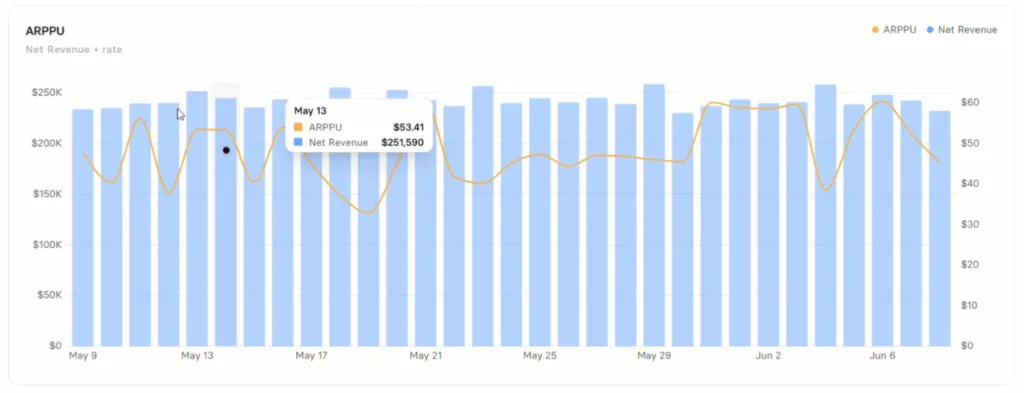
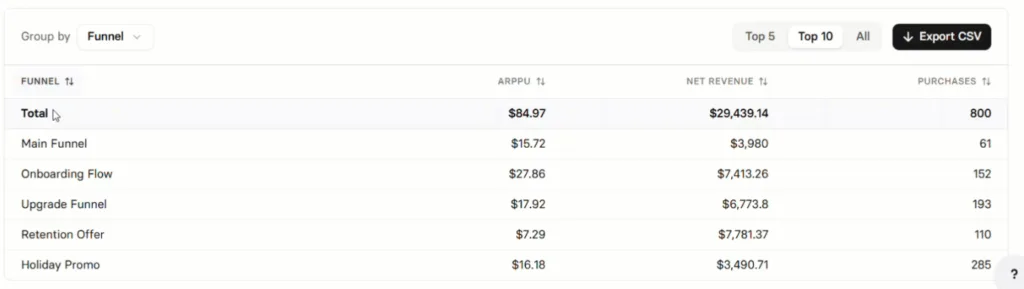
Select any KPI and the trend chart and breakdown table below update to show that metric. You can filter, choose your time range, and switch granularity (Daily, Weekly, or Monthly):
Charts tab
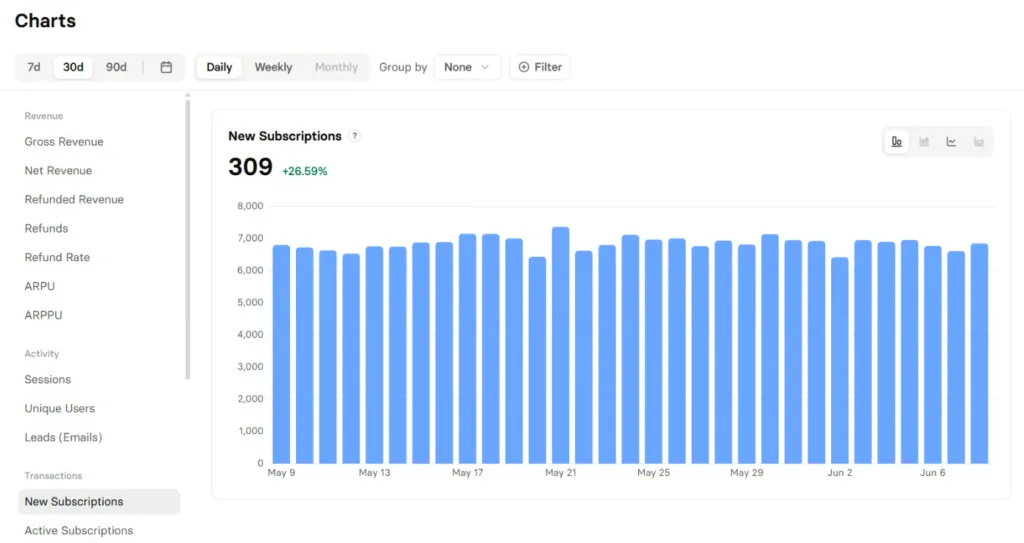
The deep-dive view. Pick any metric from the selector on the left, and the main area plots it as a time series with bar, line, or stacked chart types. You can filter, group into series, choose your time range, and adjust granularity:
New metrics
| Category | Metrics |
| Revenue | Gross Revenue, Net Revenue, Refunded Revenue, Refunds, Refund Rate, Upsell Revenue |
| Subscriptions & retention | Active Subscriptions, Churned, Churn Rate, Trials Started, Trials Converted |
| Volume | Users, Sessions, Leads (Emails), Purchases, Upsells, Conversions |
| Conversion Rate (new steps) | Start → Subscription, Paywall → Subscription, Checkout → Subscription, Trial → Paid, Subscription → Upsell, 2nd Screen → Email |
New ways to break down your data
Filter or group by any of these new dimensions: Device, OS, Browser, Browser (with version), Language, City, Card Type, Payment Method, Project, UTM Source, UTM Medium, UTM Campaign.
CSV export
Any analytics table can now be exported to CSV — new in this release.
What these upgrades mean for you: clear answers to the questions that drive your next decisions, with deeper insights into your funnels. Plus a quick pulse on KPIs, so you spot what needs attention instantly.
Take full control of your Meta events
You can now decide exactly which purchase events FunnelFox sends to Meta, and how:
- Toggle each event on or off, separately for one-off purchases, trial start, trial converted, subscription start, and subscription renewal.
- Pick the channel: browser pixel, Conversions API, or both.
- Map FunnelFox events to Meta names like Purchase, StartTrial, Subscribe, AddToCart, InitiateCheckout, or Renewal.
- Filter to first purchases only to stop counting upsells in your campaigns.
What it means for you: your Meta tracking matches your actual ad setup — no duplicate events, no renewal noise blowing up campaign performance, and full control over what counts as a conversion.
Learn more about configuring Meta events
Power lifecycle campaigns with Braze
You can now forward subscription lifecycle data from FunnelFox to Braze for email and push campaigns:
- Subscription events — trials, conversions, renewals, updates, and upsells — flow server-side to Braze.
- Profile updates keep subscriber records in sync.
- Records are unified by the FunnelFox profile ID, used as the Braze external_id.
What it means for you: retention and re-engagement campaigns can run on the same real-time data your funnels generate, without custom event wiring. Trigger a re-engagement email when a trial ends, or a renewal reminder before churn.
Learn more about the Braze integration
Get twice as much AI usage
The monthly Agentic solution allowance has doubled to 1,000,000 tokens per organization. The allowance is shared across all projects and all Agentic features — chatting in the Editor, building from references, and generating funnels from scratch.
What it means for you: more room to actually use the AI on everyday work. You can track consumption in the Usage tab of your Settings.
See everything we’ve shipped
These updates are part of a longer list. For everything we’ve shipped recently, check the FunnelFox release notes.